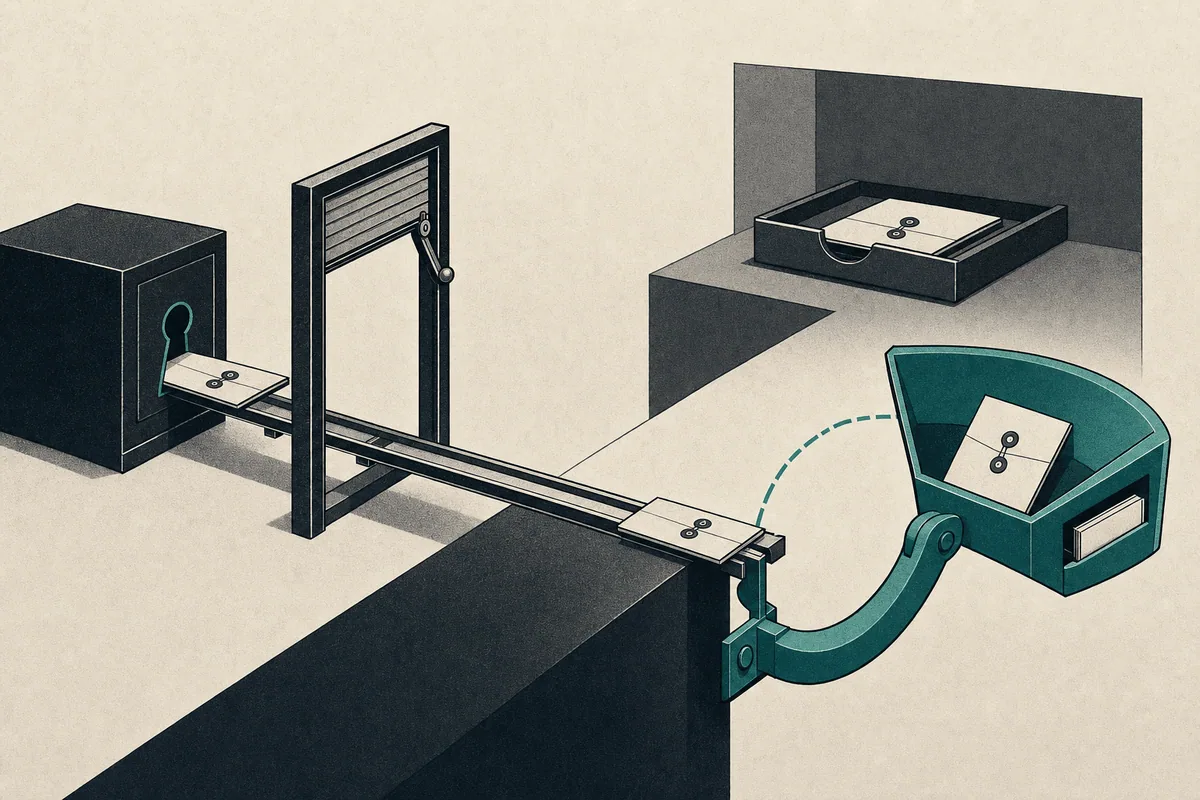
Why Downloading a Protected File in an iOS PWA Required the Native Share Sheet
Inside our installed iPhone app, tapping Download replaced the app with a bare document: no browser controls, no useful route back. That iOS PWA file download had passed 28 focused viewer tests and 108 full-suite tests. On desktop, it saved the selected image or PDF with the right filename. On the iPhone, every layer could claim it had done its job. The user was still left looking at a file they had not saved.
TL;DR
An iOS PWA file download is not reliably completed by an HTML download attribute or even Content-Disposition: attachment. In an installed iPhone or iPad PWA, fetch the protected asset as a File and pass it to navigator.share() so the native sheet can offer Save to Files. Keep ordinary attachment downloads for desktop and Android.
I came to understand the failure as three separate boundaries: authorization, HTTP presentation, and operating-system storage. We had addressed the first two. The installed iPhone app exposed the missing third.
Authorization: get the right file into the application
The image and PDF viewers gained explicit Download actions. As the user moved between photos, the action tracked the current asset and its source filename. Closing the viewer cleared that state. The protected, same-origin resource was then exposed through an anchor with the download attribute.
function downloadFromViewer({ url, filename }) {
  const anchor = document.createElement("a");
  anchor.href = url;
  anchor.download = filename;
  anchor.rel = "noopener";
  document.body.append(anchor);
  anchor.click();
  anchor.remove();
}
On desktop, this saved the file. In the installed iPhone app, it navigated to the document. The protected route still returned an inline disposition:
HTTP/1.1 200 OK
Content-Type: application/pdf
Content-Disposition: inline; filename="weekly-brief.pdf"
Cache-Control: private, no-store
The session had authorized access, and the server had delivered the bytes. Neither operation settled what happened after delivery. Without Safari's usual controls, the installed app left the user in a bare PDF or image view.
Presentation: request an attachment
Our first correction added an explicit download mode to the protected endpoint. Viewer actions requested the same authorized asset with download=1. The server switched its disposition from inline to attachment. Preview and Share behavior remained unchanged.
A minimal Express-style handler looks like this:
app.get("/media/:id", requireSession, async (req, res) => {
  const asset = await loadAuthorizedAsset(req.user.id, req.params.id);
  const disposition = req.query.download === "1"
    ? "attachment"
    : "inline";

  res.set("Content-Type", asset.mimeType);
  res.set("Content-Disposition", `${disposition}; filename="${asset.filename}"`);
  res.set("Cache-Control", "private, no-store");
  res.send(asset.bytes);
});
The browser-side helper constructs the URL and sets the query parameter:
function downloadUrl(assetId) {
  const url = new URL(`/media/${encodeURIComponent(assetId)}`, location.origin);
  url.searchParams.set("download", "1");
  return url.href;
}
This aligned the HTML hint with the HTTP response and preserved a useful contract. /media/asset-123 previews, while /media/asset-123?download=1 requests an attachment.
The header change still did not give us a dependable save into Files or Recents in the installed iPhone app. It requested attachment handling. The user agent still controlled presentation and storage.
Important
A successful attachment response proves that the server delivered bytes with download semantics. It does not prove that an installed iOS PWA saved those bytes somewhere the user can find.
That distinction changed how I thought about the feature. I needed to move an authorized file into storage controlled by the user, then verify that it arrived. The gap between available bytes and a completed download also comes up in The library said the bytes were there and only the download disagreed.
Possession: complete the iOS PWA file download through the share sheet
The chosen approach keeps attachment downloads for desktop and Android. In the installed iOS branch, Download passes the authenticated File to the native share sheet. The user then chooses Save to Files or another destination.
The observed failure was in an installed iPhone app. The draft's evidence does not identify the device model or OS version. It also does not establish an iPad test result. The branch below includes iPad detection, but that coverage is implementation intent, not a verified device matrix.
Keep platform detection narrow
I would not use user-agent detection as a general capability oracle. Here it selects a workaround for a specific platform and display mode. A separate check establishes whether the current file is shareable.
function isInstalledIosPwa() {
  const ua = navigator.userAgent;
  const isIos = /iPhone|iPad|iPod/.test(ua) ||
    (navigator.platform === "MacIntel" && navigator.maxTouchPoints > 1);
  const isStandalone = window.matchMedia("(display-mode: standalone)").matches ||
    navigator.standalone === true;

  return isIos && isStandalone;
}
The iPadOS fallback accounts for iPads that identify themselves as Macs. I kept that compatibility seam in one named predicate.
Prepare the file before enabling Download
A receiving application has its own authentication context. Passing it a protected URL leaves access dependent on credentials outside the PWA's control. Fetching inside our authenticated origin gives us the bytes to share directly. It also lets us attach the source filename and MIME type.
The original fetch sketch is retained below. Its redacted credentials placeholder is not a valid Fetch option; the corrected implementation later in this section uses "same-origin".
async function fetchProtectedFile({ url, filename }) {
  const response = await fetch(url, {
    credentials: "[REDACTED:secret]",
    cache: "no-store"
  });

  if (!response.ok) {
    throw new Error(`Media request failed: ${response.status}`);
  }

  const blob = await response.blob();
  return new File([blob], filename, {
    type: blob.type || "application/octet-stream",
    lastModified: Date.now()
  });
}
Reusing a File already loaded for Share avoids another request. It keeps both actions aligned on authorization, filename, and content. When there is no cached file, preparation belongs in the viewer's asset-loading lifecycle, before Download becomes available.
The original click-handler sketch shows why that timing matters:
async function saveFromViewer(asset) {
  const file = asset.file ?? await fetchProtectedFile(asset);

  if (isInstalledIosPwa() &&
      navigator.canShare?.({ files: [file] }) &&
      navigator.share) {
    await navigator.share({ files: [file] });
    return;
  }

  downloadFromViewer({
    url: `${asset.url}?download=1`,
    filename: asset.filename
  });
}
Awaiting a network request before navigator.share() risks losing the click's transient user activation. This sketch also sends unsupported iOS sharing back through the download path that caused the problem. It appends a query delimiter without checking the URL, too.
The replacement below prepares the file on selection and uses downloadUrl() for attachment delivery. It invokes sharing directly from the click. Each asset supplies its route id, protected url, source filename, and optional cached file. The viewer calls selectAsset(null) when it closes. setStatus() displays a visible status message.
function createViewerSave({ button, setStatus }) {
  let selectionVersion = 0;
  let ready = null;
  let sharing = false;

  button.disabled = true;

  async function prepareFile(asset) {
    if (asset.file) return asset.file;

    const response = await fetch(asset.url, {
      credentials: "[REDACTED:secret]",
      cache: "no-store"
    });

    if (!response.ok) {
      throw new Error(`Media request failed: ${response.status}`);
    }

    const blob = await response.blob();
    return new File([blob], asset.filename, {
      type: blob.type || "application/octet-stream",
      lastModified: Date.now()
    });
  }

  async function selectAsset(asset) {
    const version = ++selectionVersion;
    ready = null;
    button.disabled = true;
    setStatus("");
    if (!asset) return;

    if (!isInstalledIosPwa()) {
      ready = { asset, method: "attachment", version };
      button.disabled = sharing;
      return;
    }

    if (!window.isSecureContext ||
        typeof navigator.share !== "function" ||
        typeof navigator.canShare !== "function") {
      setStatus("File sharing is unavailable here. Open the app in Safari, sign in, and use its save controls.");
      return;
    }

    setStatus("Preparing file…");
    try {
      const file = await prepareFile(asset);
      if (version !== selectionVersion) return;

      if (!navigator.canShare({ files: [file] })) {
        setStatus("This file cannot be shared here. Open the app in Safari, sign in, and use its save controls.");
        return;
      }

      ready = { asset, file, method: "share", version };
      button.disabled = sharing;
      setStatus("Ready. Choose Save to Files in the share sheet.");
    } catch (error) {
      if (version !== selectionVersion) return;
      setStatus("Could not prepare the file. Reselect it to retry.");
    }
  }

  async function save() {
    const current = ready;
    if (!current || sharing) return;

    if (current.method === "attachment") {
      downloadFromViewer({
        url: downloadUrl(current.asset.id),
        filename: current.asset.filename
      });
      return;
    }

    sharing = true;
    button.disabled = true;
    try {
      await navigator.share({ files: [current.file] });
      if (current.version === selectionVersion) {
        setStatus("Check your chosen destination for the file.");
      }
    } catch (error) {
      if (current.version !== selectionVersion) return;
      setStatus(error?.name === "AbortError"
        ? "Sharing was canceled or no share target was available. You can try again."
        : "Could not share the file. Try again, or open the app in Safari and use its save controls.");
    } finally {
      sharing = false;
      button.disabled = ready === null;
    }
  }

  button.addEventListener("click", save);
  return { selectAsset };
}
The selection counter prevents a slow fetch for the previous image from enabling Download for the wrong file. Unsupported sharing leaves the action disabled with an explicit browser route for the user to try. A rejected share keeps the prepared file available for another attempt. AbortError gets a separate message because it covers cancellation or a missing share target. It does not establish a transfer failure.
A resolved share promise is not a receipt from Files. The interface asks the user to check the chosen destination instead of announcing that the file was saved.
This mapping describes routing policy. Verifying the feature requires evidence at each boundary:
| Boundary | Implementation responsibility | Evidence |
|---|---|---|
| Authorization | Fetch only media the signed-in user can access | Route tests for permitted and denied access, plus correct asset bytes |
| HTTP presentation | Preserve preview behavior and request attachment handling for Download | Response tests for disposition, MIME type, filename, and query handling |
| Operating-system storage | Offer the prepared file to a supported destination | A physical-device check that Save to Files produces a file that opens with the expected name and content, recording device model and OS version |
The share sheet adds a choice of destination. In our iPhone case, that interaction supplied the missing route to Save to Files.
Tradeoffs and testing
Opening the protected asset in a new browser tab restored some browser controls. But it moved the user out of the installed experience and left saving dependent on iOS presentation behavior. Converting the file to a data URL added encoding overhead and duplicated the payload in memory. Blob-backed File objects already fit the sharing API.
I rejected sending every platform through the share sheet because the attachment path already served the desktop behavior we wanted. We retained that path for desktop and Android. The iOS branch addresses the installed-app problem.
The implementation still has limits. Web Share needs a secure context and support for the actual file. Preparing the file before the click removes the network wait from the activation-sensitive path. Sharing errors still need handling. Holding the whole asset in memory costs roughly the file size, with additional overhead depending on the implementation. Large media warrants a separate decision about direct server downloads or a native wrapper.
Automated tests need to exercise selection changes during preparation, closing the viewer, failed fetches, unsupported sharing, cancellation, and the attachment URL. They also need to establish that clicking the ready action calls navigator.share() without first waiting for a fetch.
Our 28 focused viewer tests and 108 full-suite tests were valuable. But they did not certify an iOS PWA file download result in Files. For that boundary, I need a recorded device and OS version and a completed Save to Files action. I also need to check that the saved file opens with the expected filename and content. Authorization permits access and headers request presentation. The operating-system handoff needs its own evidence that the user obtained the file.
FAQ
Why does the HTML download attribute fail in an iOS PWA?
The attribute is a browser hint. A protected route returning Content-Disposition: inline can override the intended behavior, and standalone iOS lacks some of Safari's normal document controls.
Does Content-Disposition attachment save a file to iOS Files?
Not reliably in an installed PWA. The header requests attachment handling, but it does not require iOS to place the response in Files or Recents.
Where should I capture the protected file for navigator.share?
Fetch it inside the authenticated application context, convert the response blob to a File, and preserve the original filename and MIME type before calling navigator.share().
Should every browser use the native share sheet for downloads?
No. Retain ordinary attachment downloads where the browser has a dependable download manager, and use the share sheet for the installed iOS case that needs an explicit Save to Files path.
How do I test Save to Files from an installed PWA?
Use automated tests for routing, filenames, capability checks, and fallback behavior, then verify the final handoff on a physical iPhone or iPad. Browser tests cannot confirm an operating-system storage result.